AI social media agents: what they can automate, and what to keep human

·6 min read
An AI social media agent is an assistant that can take actions for you — drafting posts, scheduling them, pulling analytics and suggesting replies — instead of only answering questions. Let it handle repetitive work like first drafts, repurposing, scheduling and reports, and keep strategy, sensitive replies, brand decisions and final approval with a human.
"AI agent" has become one of those phrases every tool uses, so it helps to be precise. This guide explains what an agent actually is, where it saves real time on social media, where it should never be left alone, and how to set one up so nothing goes out without your say-so.
What is an AI social media agent?
Think of three kinds of tools that often get lumped together:
| Tool | What it does | Example |
|---|---|---|
| Chatbot | Answers questions and writes text when you ask. It can't do anything outside the chat. | Asking for five caption ideas and copying them into Instagram yourself. |
| Scheduler | Publishes posts at the time you choose. You do all the thinking and writing. | Uploading a post, picking Friday 7 pm and clicking Schedule. |
| AI agent | Understands a request, then uses connected tools to carry it out — draft, schedule, look up numbers, suggest replies — and checks with you before acting. | "Draft three posts for this week and schedule them for the evenings." |
The difference is tools. An agent is connected to your accounts and your social media scheduling setup, so it can move from words to actions. That's what makes it useful — and why it needs guardrails.
What an AI agent can realistically automate
The best tasks to hand over are the ones that are repetitive, easy to check and low-risk if a draft needs fixing. These are the realistic wins today:
1. First drafts of posts and captions
Give the agent a topic, an offer or a product photo and it can produce a usable first draft in your tone. You still edit, but starting from something is far quicker than a blank box. If you want to try this without any setup, our free caption generator shows the idea, and our guide to AI social media captions covers how to prompt well.
2. Repurposing one piece into many
Content repurposing is ideal agent work: turn a blog post into a LinkedIn post, an Instagram caption and a short video script, each adjusted to the network. The content repurposing tool is a quick way to see what this looks like.
3. Scheduling and rescheduling
Once drafts are approved, an agent can put them on the calendar at the times you set, across several networks, without you clicking through each one.
4. First-pass comment replies
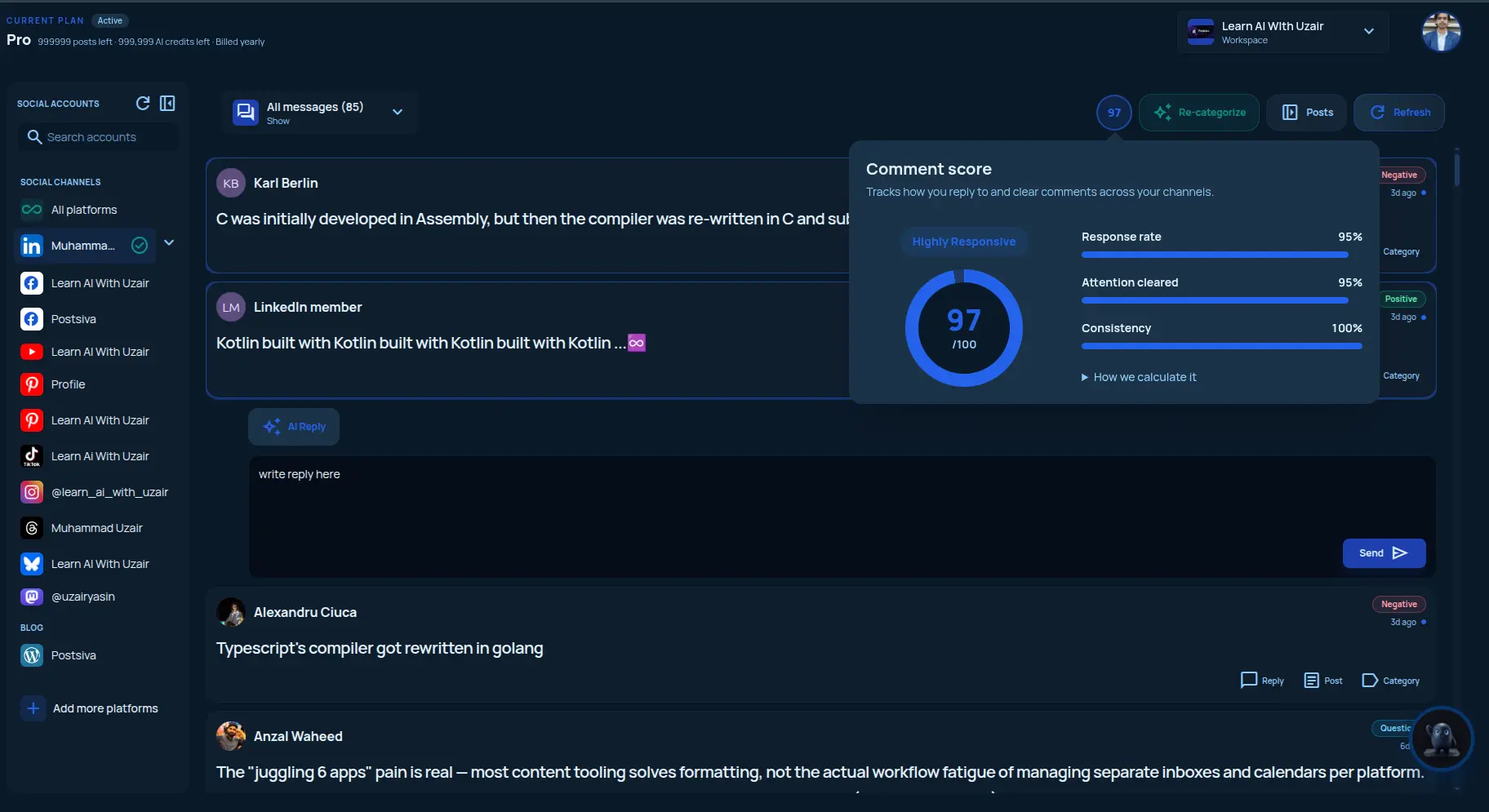
For routine comments — "price?", "do you deliver to Lahore?", "love this" — an agent can suggest a reply for you to check and send. That keeps response times short without handing your voice to a machine.
5. Simple performance reports
Ask "which posts did best this month?" and an agent can pull the numbers from your analytics and summarise them in plain language, which is a good starting point for a monthly review.
What to keep human
An agent is fast, but it doesn't carry responsibility for your brand. These jobs should stay with a person:
- Strategy. Who you're talking to, what you want them to do and which platforms matter are business decisions. An agent can help you brainstorm; it shouldn't set direction.
- Sensitive replies and complaints. An angry customer, a refund dispute or a public complaint needs empathy and judgement. Draft help is fine; a person should write and send the final reply.
- Final approval. Every post that goes out under your name should be read by a human first, especially anything with prices, dates, offers or claims.
- Brand decisions. Your brand voice, what you will and won't joke about, and which trends you join are choices only you can make.
- Crisis moments. If something goes wrong — a product issue, a mistake in a post, a tense news event — pause scheduled content and take over manually.
- Cultural and local context. A post around Ramadan, Eid, Independence Day or a national tragedy needs a person who understands the mood, not just the calendar.
Safety practices when you use an AI agent
- Require approval before publishing. Choose an agent that asks before it posts, schedules or replies, and keep that switched on.
- Limit permissions. Only connect the accounts the agent actually needs. On a team, give people the access their role requires and no more.
- Give it your rules. Share your tone, words to avoid, how you write prices and any topics that are off-limits. The clearer the brief, the fewer rewrites.
- Review on a schedule. Check the calendar and recent replies every few days so nothing drifts from what you agreed.
- Watch the tone of comments. Basic sentiment analysis — spotting whether comments are positive, neutral or negative — helps you see when a thread needs a human instead of a suggested reply.
- Fact-check everything specific. AI can state wrong details confidently. Always check numbers, dates, addresses and offers.
Example: a week of posts with Piva
Postsiva's AI agent is called Piva. You can chat with it inside Postsiva or message it on WhatsApp, and it works with the accounts connected to your workspace. Here's what a typical exchange looks like for a small clothing brand:
- You: "Draft 3 posts for this week about our new lawn collection — one product post, one behind-the-scenes, one customer-style post. Friendly tone, short captions."
- Piva replies with three drafts. You ask it to make the second one shorter and add a clear call to action.
- You: "Good. Schedule them for Tuesday, Thursday and Saturday evening on Instagram and Facebook."
- Piva lays out what it's about to do — which posts, which accounts, which times — and asks for your approval before scheduling.
- You approve, and the posts appear on your content calendar, where you can still drag them to another day or edit them.
Later in the week you might ask, "How did Tuesday's post do?" or "Suggest replies to the new comments," and review what comes back before anything is sent.
How to get started
Start small. Pick one repetitive task — say, drafting the week's posts — and let an agent do the first pass for two or three weeks while you review everything. Once you trust the output, add scheduling, then reply suggestions. Keep approvals on throughout.
Postsiva connects Instagram, Facebook, LinkedIn, TikTok, YouTube, Pinterest, Threads, Bluesky, Mastodon and several blog platforms in one place, with an AI content assistant, a unified inbox and Piva on top. See the full list on our features page, or compare plans on pricing — there's a free plan to try it.
Frequently asked questions
Is an AI agent the same as a chatbot?
No. A chatbot answers in text; an agent can also take actions through connected tools, such as drafting and scheduling posts or pulling analytics, ideally after asking for your approval.
Can an AI agent run my social media on its own?
It can handle a lot of the repetitive work, but it shouldn't run unsupervised. Keep strategy, sensitive replies, brand decisions and final approval with a person.
Will AI-written posts sound generic?
They can if you give vague instructions. Share your brand voice, examples of posts you like and words to avoid, then edit the drafts — the result sounds much more like you.
Can I use Piva on WhatsApp?
Yes. You can chat with Piva inside Postsiva or on WhatsApp, and it asks for approval before taking actions like scheduling or posting.