How to manage 10+ client social accounts without losing your mind: workflows and approvals

·6 min read
To manage many client social accounts, give each client its own workspace, plan a monthly content calendar per client, batch creation, and run every post through the same approval process: draft, internal review, client approval, then schedule. Handle comments from one inbox, report monthly, and follow a fixed weekly routine so nothing depends on memory.
Three clients can be managed from memory and a few WhatsApp chats. At ten or more, that approach breaks: posts go to the wrong account, approvals get lost in chat threads and comments sit unanswered. The fix isn't working longer hours — it's a system. Here's one that scales.
1. Give every client its own workspace
The single biggest source of mistakes is mixing clients together. Keep each client's accounts, drafts and calendar completely separate so you can't publish one brand's post on another brand's page.
In Postsiva, each workspace is one brand or client, with its own connected channels, drafts and content calendar. You switch workspace, and everything you see belongs to that client only. It's the foundation of good social media management at agency scale — see our social media management software page for the full picture.
2. Use naming and folder conventions
Consistent names save minutes on every task and make it easy for teammates to find things. Agree a convention once and stick to it:
- Client folders: one shared folder per client, with sub-folders for Brand, Raw assets, Final designs, Reports and Contracts.
- File names: client code, date, network and topic — for example "KHI-CAFE_2026-12-05_IG_new-menu".
- Months: a folder per month inside Final designs so last month's work never gets reposted by accident.
- Workspaces: name them exactly as the client folder so tools and files match.
3. Plan a monthly content calendar per client
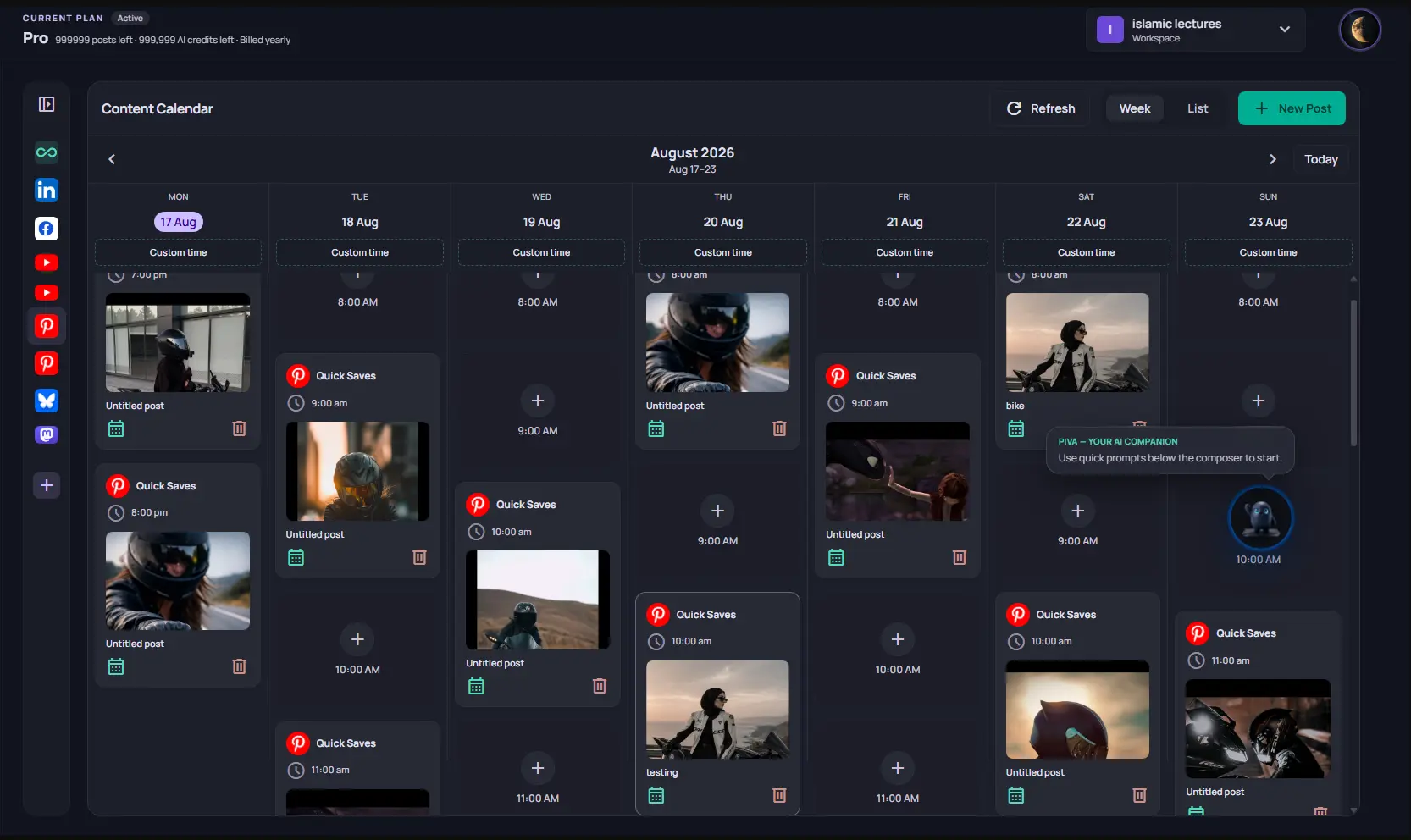
Plan each client's month in one sitting, not post by post. A content calendar should show every planned post with its date, network, format and status (idea, drafting, in review, approved, scheduled).
Build in the fixed dates first — holidays, sales, launches, Ramadan and Eid campaigns — then fill the rest with your regular content pillars. Leave a few open slots each month for timely posts the client will inevitably ask for.
4. Batch the work
Switching between ten brands every hour is exhausting. Batch by task, not by client: write all captions in one block, design in another, schedule in a third. Within each block, work client by client so you stay in one brand voice at a time.
AI helps with first drafts here. Postsiva's AI assistant can draft captions in each client's tone, and you edit them during the writing block rather than starting from blank.
5. Run a clear approval workflow
Most client friction comes from unclear approvals: "I never said yes to that." Use the same four stages for every client:
- Draft. The content creator writes and designs the post and marks it as a draft.
- Internal review. A second person checks spelling, facts, prices, dates, tagging and that it's in the right client's workspace.
- Client approval. Send the client the month's plan for sign-off — a shared document, a screenshot of the calendar or previews of each post. Ask for a written OK on WhatsApp or email, and save it in the client folder.
- Schedule. Only approved posts get scheduled. Anything changed after approval goes back to step 3.
Treat approvals as a process your team owns, with one clear owner per client. Postsiva's live per-network previews are useful for the screenshots you send, and our free social media post preview tool works for quick mock-ups too.
6. Handle comments from one inbox
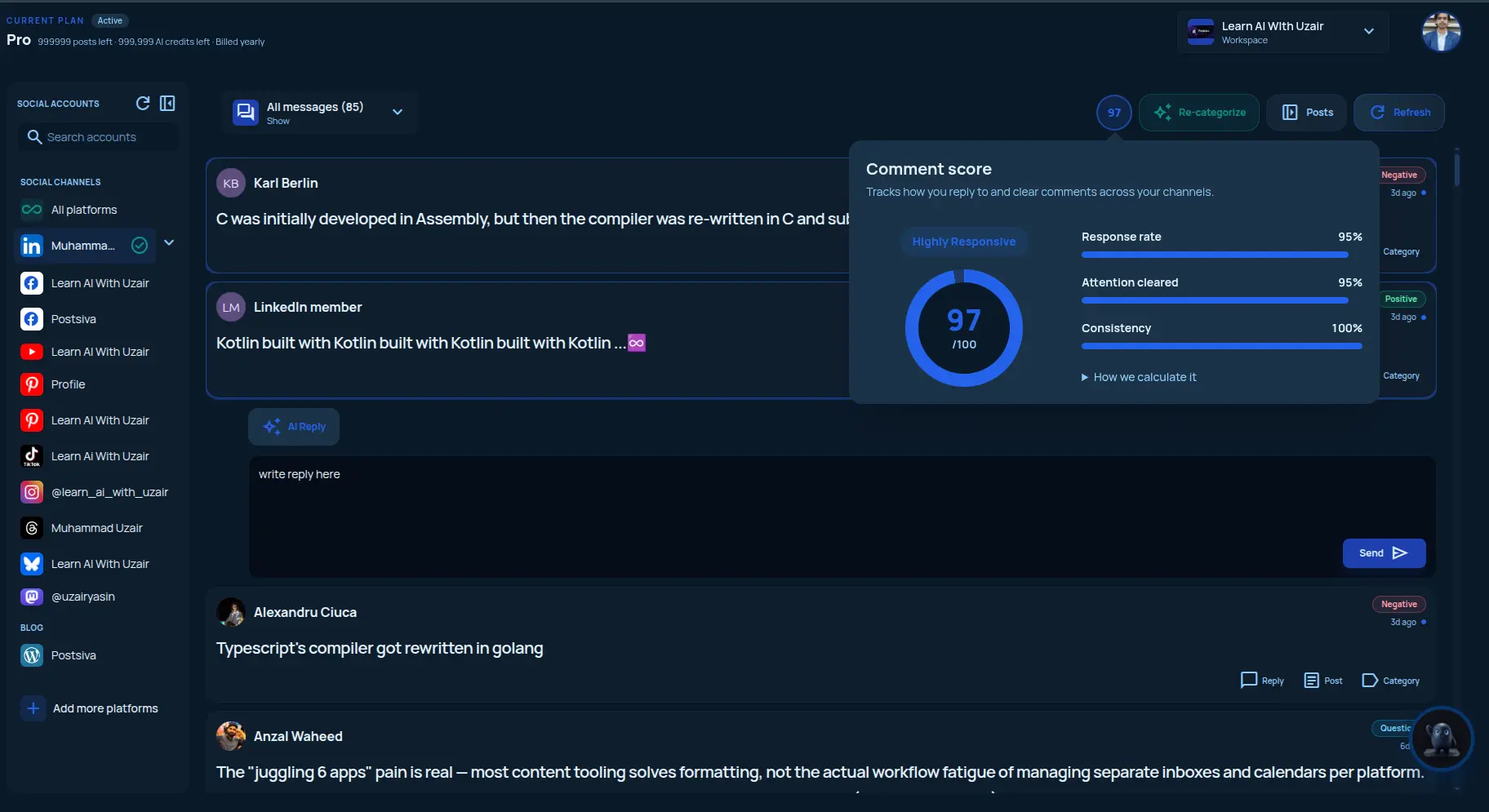
Checking ten Instagram accounts, ten Facebook Pages and a few TikToks one by one is where hours disappear. A unified inbox brings comments from connected accounts into one place, so you can work through them in a single pass.
Agree with each client which comments you answer (questions, compliments, basic product info) and which you escalate to them (complaints, refunds, anything legal or sensitive). AI-assisted reply suggestions speed up routine answers; a person should still check each one before it's sent.
7. Send monthly reports
A short, consistent report keeps clients confident and renewing. Use the same template for every client: posts published, reach, engagement rate, follower growth, top three posts, what you learned and the plan for next month. Pull the numbers from your analytics dashboard in one reporting block at the start of each month.
8. Set up team roles
As you grow, split the work so no one person is a bottleneck. Common roles are account manager (client contact and approvals), content creator (writing and design) and reviewer or scheduler (quality check and publishing). In Postsiva, invite teammates to the workspaces they work on, so each person sees only the clients they handle.
A weekly routine that keeps 10+ clients on track
| Day | Focus |
|---|---|
| Monday | Check every calendar for the week, confirm approvals are in, and fix gaps. Clear the inbox. |
| Tuesday | Writing block: captions and scripts for upcoming posts across clients. |
| Wednesday | Design and video block. Inbox pass in the afternoon. |
| Thursday | Internal review, send items for client approval, schedule approved posts. |
| Friday | Inbox pass, quick look at the week's numbers, note ideas for next week. |
| First week of the month | Monthly reports and next month's calendar planning for each client. |
Comments still need daily attention — fit a short inbox pass into each day, especially soon after posts go live.
Onboarding and offboarding checklist
When a new client joins
- Access: connect their accounts to a new workspace using their own logins or business roles — avoid sharing personal passwords.
- Brand voice: a one-page guide covering tone, words to avoid, how prices and Urdu or English are used, and topics that are off-limits.
- Assets: logo files, fonts, colours, product photos and any templates, saved in the client folder.
- Contacts: who approves posts, who handles complaints, and their preferred channel (WhatsApp or email).
- Goals: what success means for them this quarter, so reports measure the right things.
When a client leaves
- Cancel or hand over any scheduled posts so nothing publishes after the contract ends.
- Disconnect their accounts and remove your team's access or business roles.
- Hand back assets, the brand guide and recent reports, as your agreement specifies.
- Archive the client folder and keep the written approvals for your records.
If you're building an agency in Pakistan, our pages for agencies and pricing show how Postsiva workspaces fit a growing client list.
Frequently asked questions
What's the safest way to keep client accounts separate?
Use one workspace per client, each with only that client's channels connected, and name workspaces and folders the same way so nobody confuses them.
How do I get client approval before scheduling posts?
Share the month's calendar, post previews or a document with the client, set a deadline for feedback, and get a written OK on WhatsApp or email before you schedule anything.
How do I stop clients sending last-minute changes?
Set an approval deadline in your contract, keep a few open calendar slots for timely posts, and treat anything after approval as a new request.
Can my team work on different clients?
Yes. Invite teammates to the workspaces they handle, and split roles between account management, content creation and review.