How to schedule Instagram posts and Reels in 2026: a step-by-step guide

·6 min read
To schedule Instagram posts, switch to a free professional (Business or Creator) account, then either use Meta Business Suite or connect Instagram to a scheduler such as Postsiva, write your post, pick a date and time and click Schedule. The post then publishes automatically, even if your phone is off.
Scheduling is the simplest way to post consistently without being glued to your phone. This guide covers both options — the built-in Meta tool and a dedicated scheduler — and shows how to plan a whole week of feed posts, carousels and Reels in about an hour.
Before you start: switch to a professional account
Instagram only lets tools publish for you if your account is a professional account. It's free and takes a minute: open your profile, tap the menu, go to Account type and tools and choose Switch to professional account. Pick Creator if you're a person or influencer, or Business if you're a brand, shop or service.
A professional account also unlocks Insights — reach, impressions and engagement for every post — which you'll need later to find your best posting times. If you're new to these numbers, see our guides to reach and engagement rate.
Option 1: schedule with Meta Business Suite (free)
Meta Business Suite is Meta's own free tool for Facebook and Instagram. It's a good start if Instagram and Facebook are the only networks you use.
- Open Meta Business Suite on the web or the app and choose your account.
- Click Create post (or Create reel) and select Instagram.
- Upload your photo or video and write your caption.
- Next to Publish, open the options, choose Schedule, then pick the date and time.
- Click Schedule. You'll find the post in the Planner until it goes live.
The limits show up as you grow: it only covers Meta's apps, so TikTok, LinkedIn, YouTube or X need separate tools, and there's no shared approval flow for teams or clients.
Option 2: schedule with Postsiva (all your networks in one place)
If you post on more than Instagram — or manage accounts for clients — a scheduler saves the most time. Here's how it works in Postsiva's Instagram scheduler.
- Connect Instagram. Sign up free, open Integrations and connect your Instagram professional account. Add Facebook, TikTok, LinkedIn, YouTube or others at the same time if you use them.
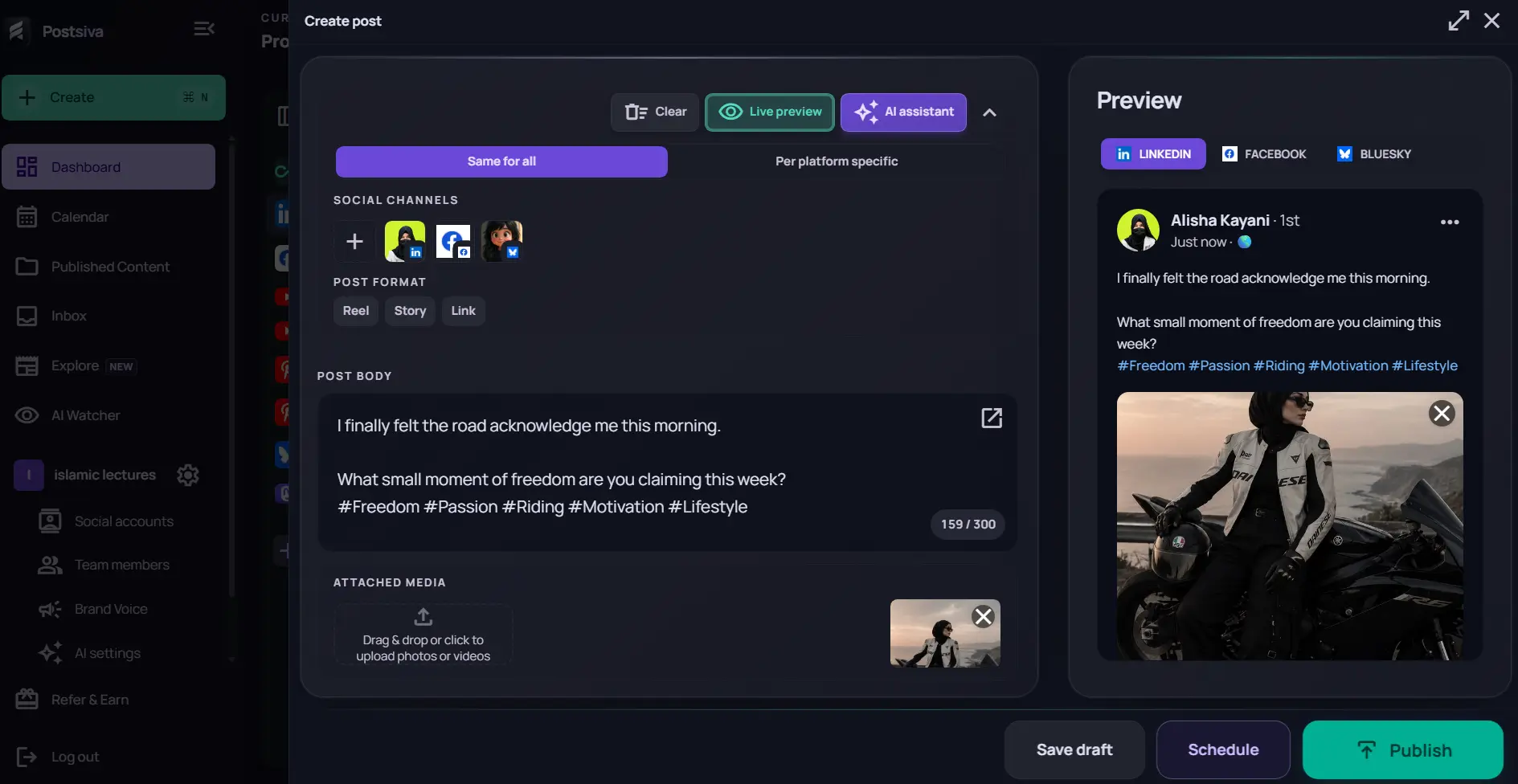
- Create the post. Click Create, pick Instagram (and any other networks), and upload your image, carousel or video.
- Write or generate the caption. Write it yourself or use the AI assistant to draft one in your brand's tone, then edit it.
- Check the preview. The live preview shows how the post will look on each network, so you can fix crops and line breaks before it goes out.
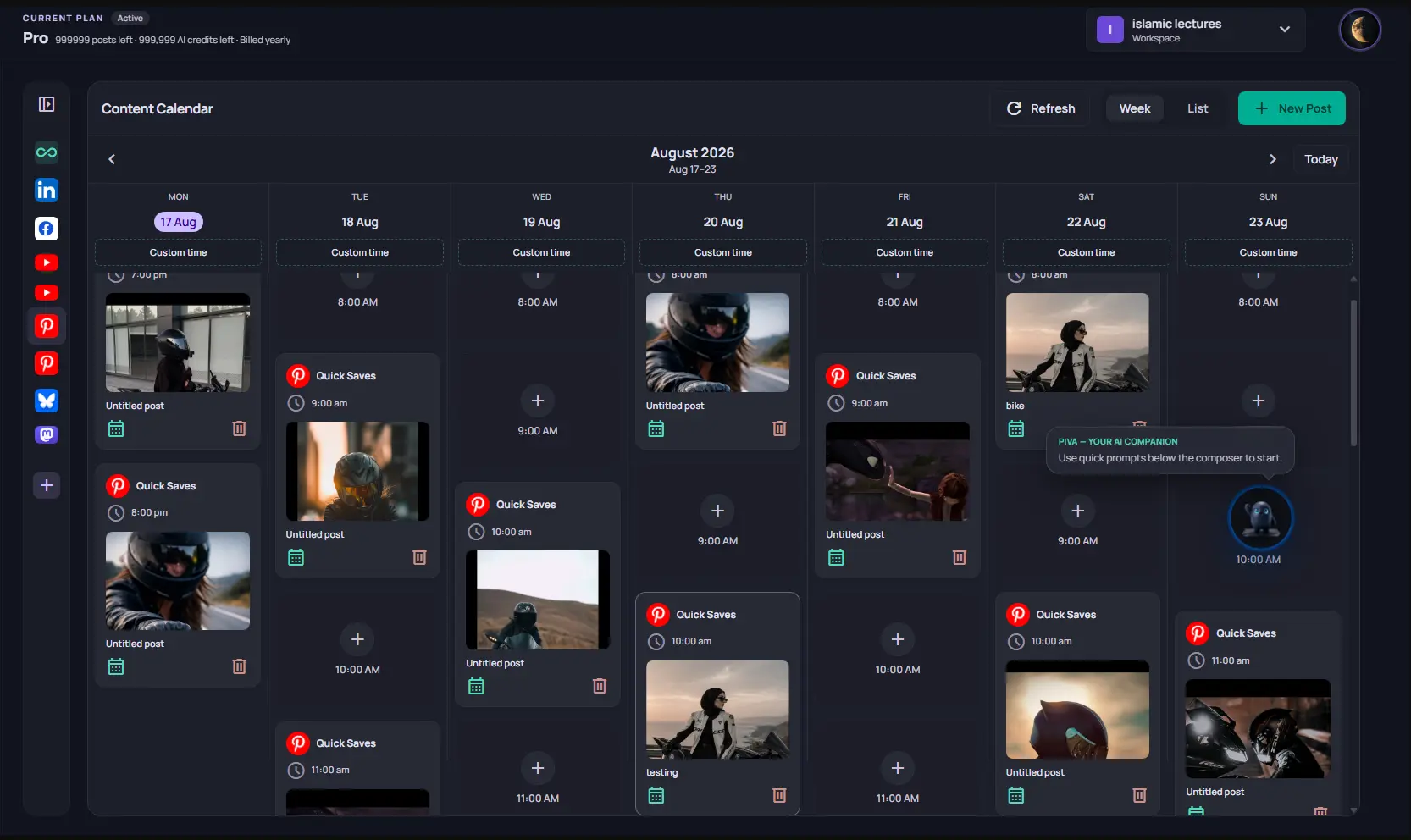
- Pick a date and time and click Schedule. It appears on your content calendar, where you can drag it to another day if plans change.
How to schedule Instagram Reels
Reels are scheduled the same way as feed posts — you just upload a vertical video instead of a photo. A few things make them perform better:
- Shoot vertical (9:16). Full-screen vertical video fills the phone and looks native in the Reels feed.
- Hook in the first seconds. Viewers decide fast whether to keep watching; open with the result, a question or a bold line. Our free hook generator gives you ideas.
- Add captions on screen. Many people watch without sound.
- Pick a cover image so the Reel looks good on your profile grid.
Watch your video completion rate in Insights: Reels that hold attention to the end tend to be shown to more people.
How to schedule carousels
A carousel is one post with several images or videos people swipe through. Upload the slides in order, check the first slide works on its own (it's what appears in the feed), and finish with a clear call to action on the last slide. If you have one wide image, our free image resizer and carousel cropper splits it into seamless slides at Instagram's sizes.
What's the best time to schedule Instagram posts?
There's no single best time that works for every account — it depends on where your followers live and when they're online. The reliable way is to test: post at a few different times for two to three weeks, then compare reach and engagement in Insights. Our guide to the best time to post on social media in Pakistan walks through the method step by step.
Plan a week of Instagram posts in one hour
Scheduling pays off most when you batch. A simple weekly routine:
| Time | What to do |
|---|---|
| 10 min | Pick 3–5 post ideas for the week. Use our free post idea generator or the holiday calendar for dates worth posting about. |
| 20 min | Create or pick the photos and videos, and resize them for Instagram. |
| 15 min | Write captions — or generate drafts with the caption generator — and add a few relevant hashtags. |
| 15 min | Schedule everything on your content calendar and leave gaps for timely posts. |
Reuse your Instagram posts on other networks
Once a post is scheduled for Instagram, it takes a few extra minutes to get more from it elsewhere. This is called content repurposing, and a scheduler makes it easy because you pick several networks in the same post.
- Facebook: the same photo or Reel usually works as-is; a slightly longer caption with a link is fine there.
- TikTok and YouTube Shorts: your vertical Reels fit both. Re-check the first seconds and the on-screen text, because each audience scrolls a little differently.
- LinkedIn: turn the idea into a short lesson or behind-the-scenes story in a more professional tone, and use a carousel or a single strong image.
- Threads and Bluesky: share the main point as a short text post and invite replies; hashtags matter less there.
In Postsiva you can write one version and switch to per-network captions only where you need them, with the preview showing each one. Our free content repurposing tool can also turn a long caption or blog post into ready-to-edit versions for each network.
Common scheduling mistakes to avoid
- Posting the same caption everywhere. Instagram, LinkedIn and X each have their own style and limits — Instagram captions can be up to 2,200 characters, but the first line is what people see. Adapt each version.
- Too many hashtags. A few specific, relevant tags beat a wall of generic ones.
- Scheduling and forgetting. Reply to comments in the first hour after a post goes live; conversation helps it reach more people. A unified inbox makes this quicker.
- Ignoring the numbers. Check what worked each month and schedule more of it.
Frequently asked questions
Can I schedule Instagram posts for free?
Yes. Meta Business Suite is free for Instagram and Facebook, and Postsiva has a free plan that covers scheduling to several networks.
Do I need a business account to schedule Instagram posts?
You need a professional account — Business or Creator. Both are free, and you can switch in your profile settings.
Can I schedule Instagram Reels and carousels?
Yes. Both Meta Business Suite and Postsiva let you schedule Reels and carousel posts, not just single images.
Will the post publish if my phone is off?
Yes. Scheduled posts are published by the tool's servers at the time you chose, so your phone doesn't need to be on.