Open Content Pipeline
Go to Calendar in the sidebar. Content Pipeline lists days with Custom date & time cards, empty + New time slots, and any posts already Scheduled.
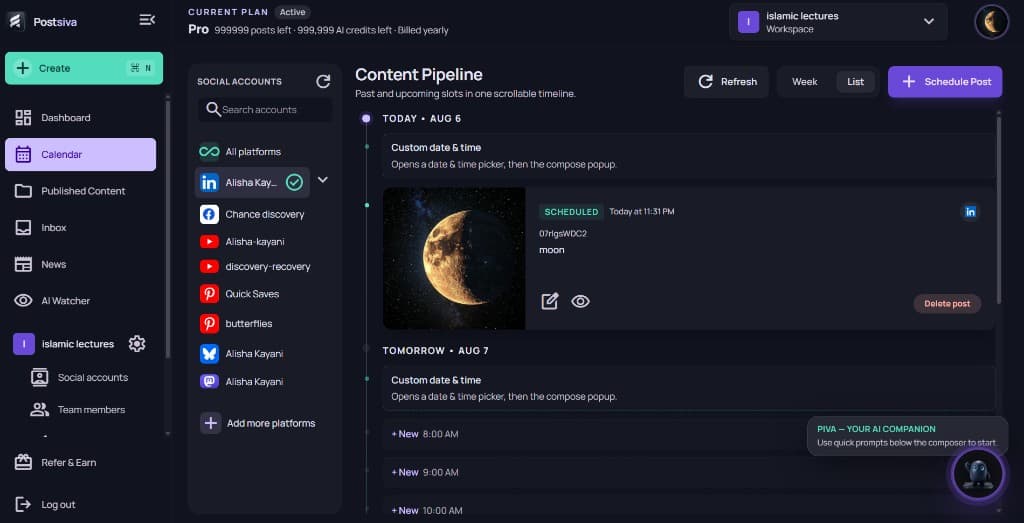
Scheduled posts on the pipeline
A Scheduled card shows the channel, caption, thumbnail, and time. Use Edit (pencil) to change copy, media, or timing, Preview (eye) to review, or Delete post to remove it from the queue.
Empty slots and Schedule Post
- Select + New on a time slot to compose for that moment.
- Use Custom date & time when you need a picker instead of a preset hour.
- Use + Schedule Post in the header to open compose without picking a slot first.
Calendar habits that reduce mistakes
- Check the active workspace before editing or rescheduling.
- Treat Content Pipeline as the team source of truth for what ships next.
- Review back-to-back posts on the same network to avoid clustering.